
Simple Bills and Debt Payoff Planner | Excel Template | Snowball vs Avalanche Comparison | Credit Card | Loan Spreadsheet | Instant Download
✨ SIMPLE BILLS & DEBT PAYOFF PLANNER — EXCEL
Bills to pay. Balances to tackle. Let’s make a plan! ✨
Bring your monthly bills and debt payments together in one clean, sage-and-grey Excel workbook. See what’s due, keep track of what’s paid and compare two debt payoff methods—so you can spend less time sorting through numbers and more time working toward your goals.
No subscription, no extra app, no macros. Just Excel and a little more clarity. ✨
✨ WHAT YOU CAN DO
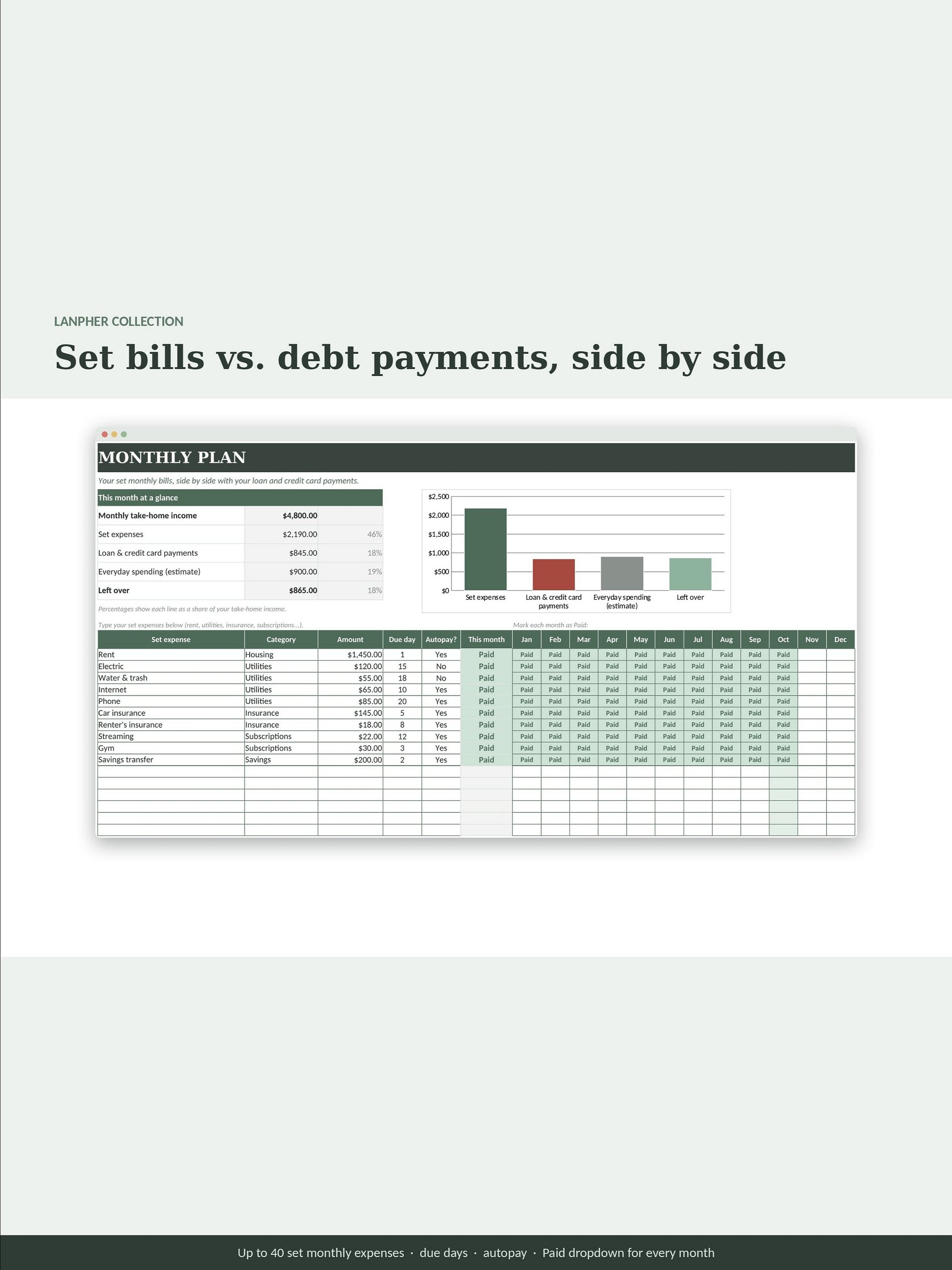
• Organize up to 40 set monthly expenses, including rent, utilities, insurance and subscriptions.
• Track up to 30 credit cards and loans, with balances, interest rates, minimum payments and due days.
• See how your set expenses and debt payments compare with the amount left over.
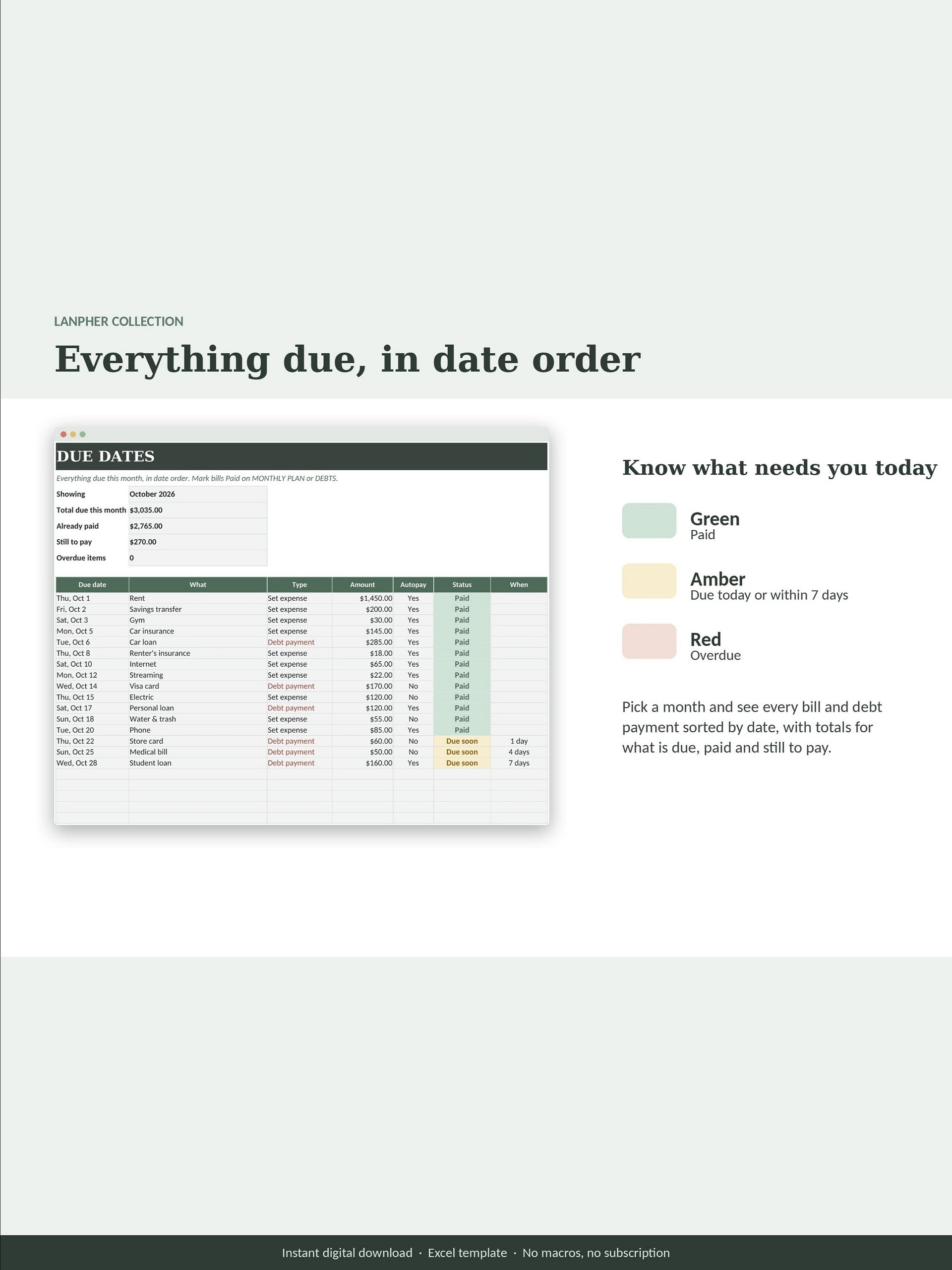
• View your monthly due dates in order, with overdue and due-soon items highlighted.
• Mark bills and debt payments as paid using dropdowns for every month of the year.
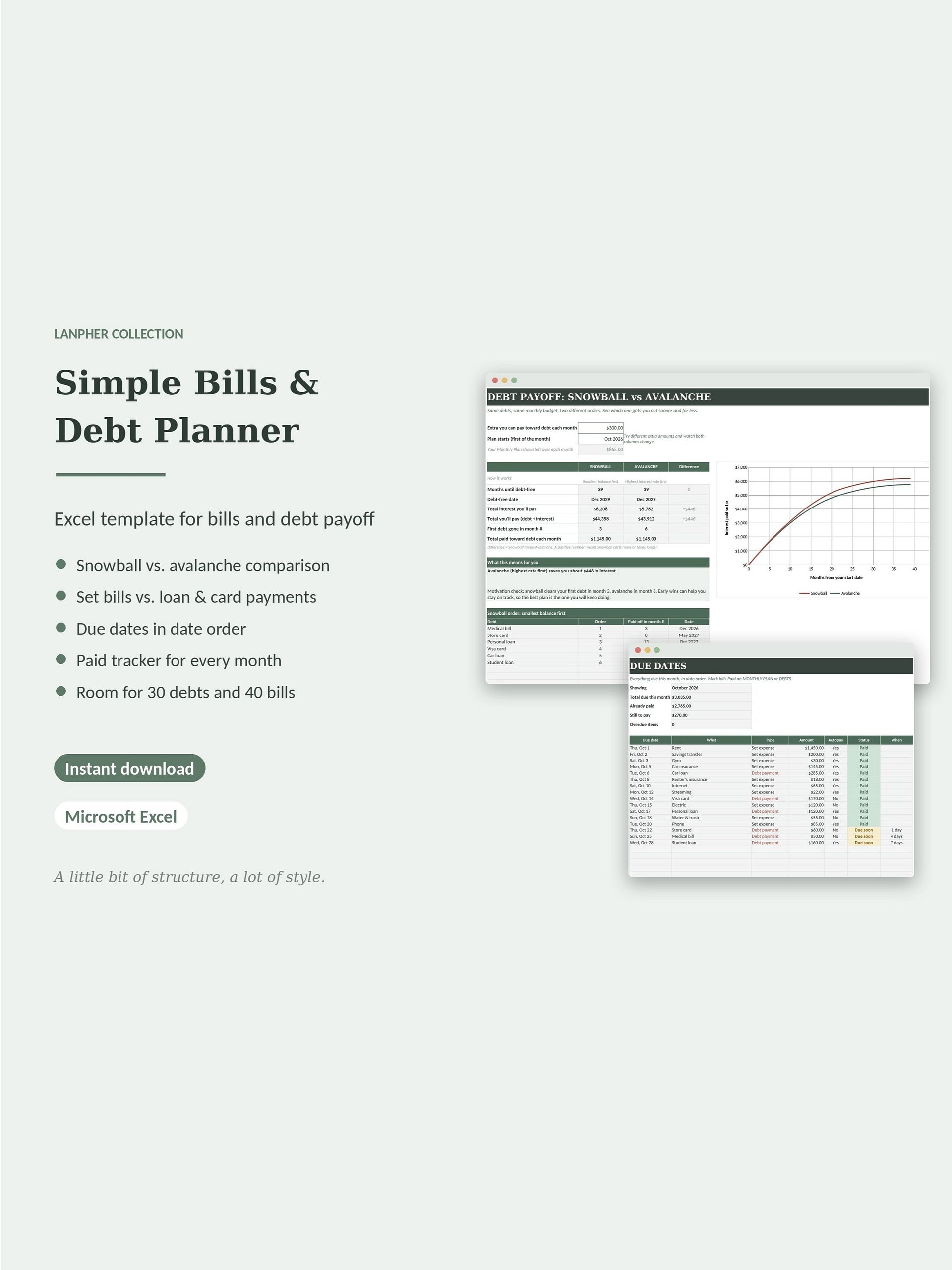
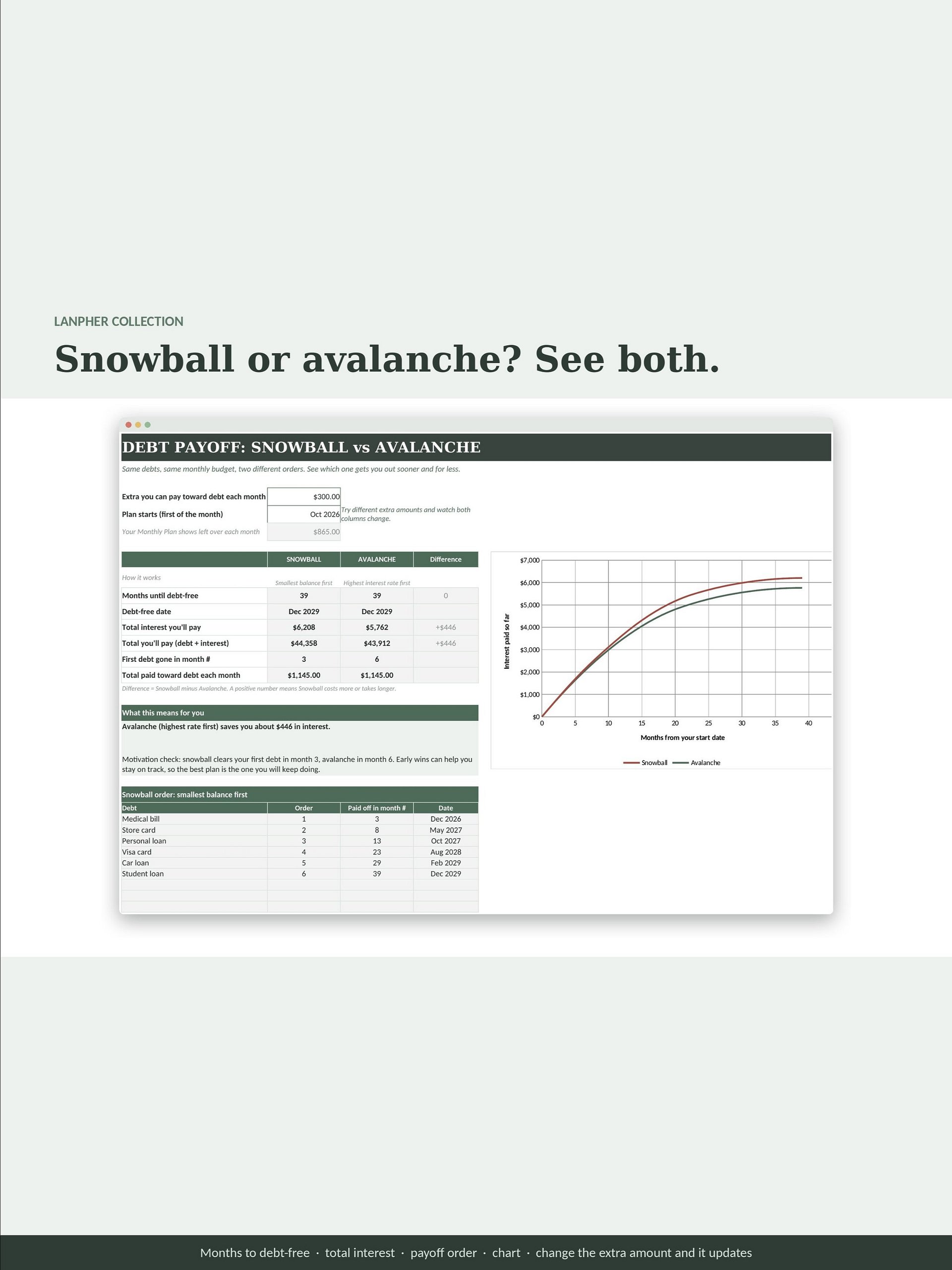
• Compare snowball and avalanche payoff plans using the extra amount you can put toward debt each month.
✨ SNOWBALL OR AVALANCHE? SEE BOTH!
Enter your debts and your extra monthly payment amount, and the workbook calculates both approaches:
• SNOWBALL — Puts extra money toward the smallest balance first.
• AVALANCHE — Puts extra money toward the highest interest rate first.
Compare estimated months to payoff, debt-free dates, total interest and the order to pay your debts. A chart shows interest paid over time, making the differences easier to see.
Want to explore a different extra payment amount? Change the number and your comparison updates. ✨
✨ TAKE A PEEK INSIDE
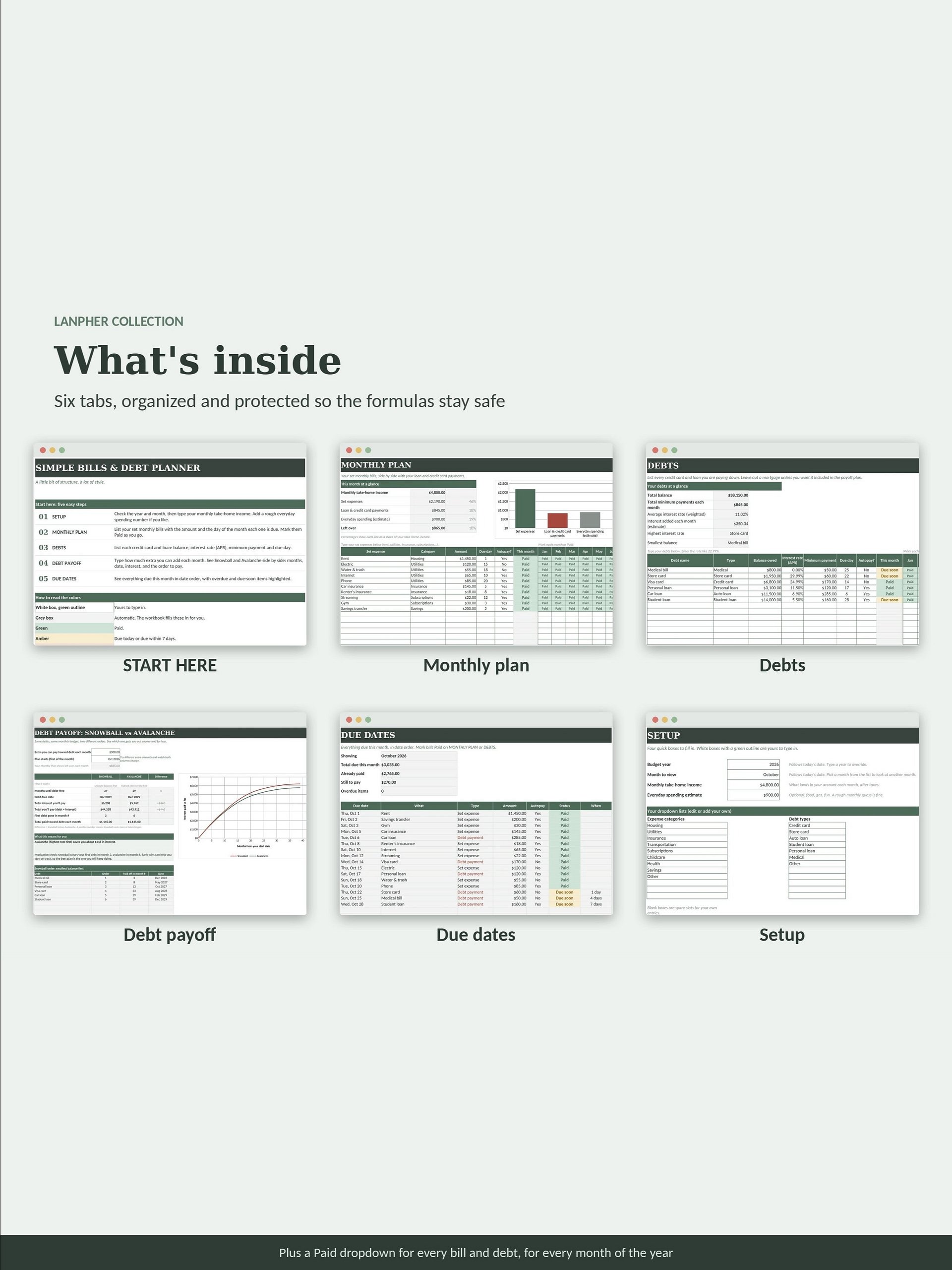
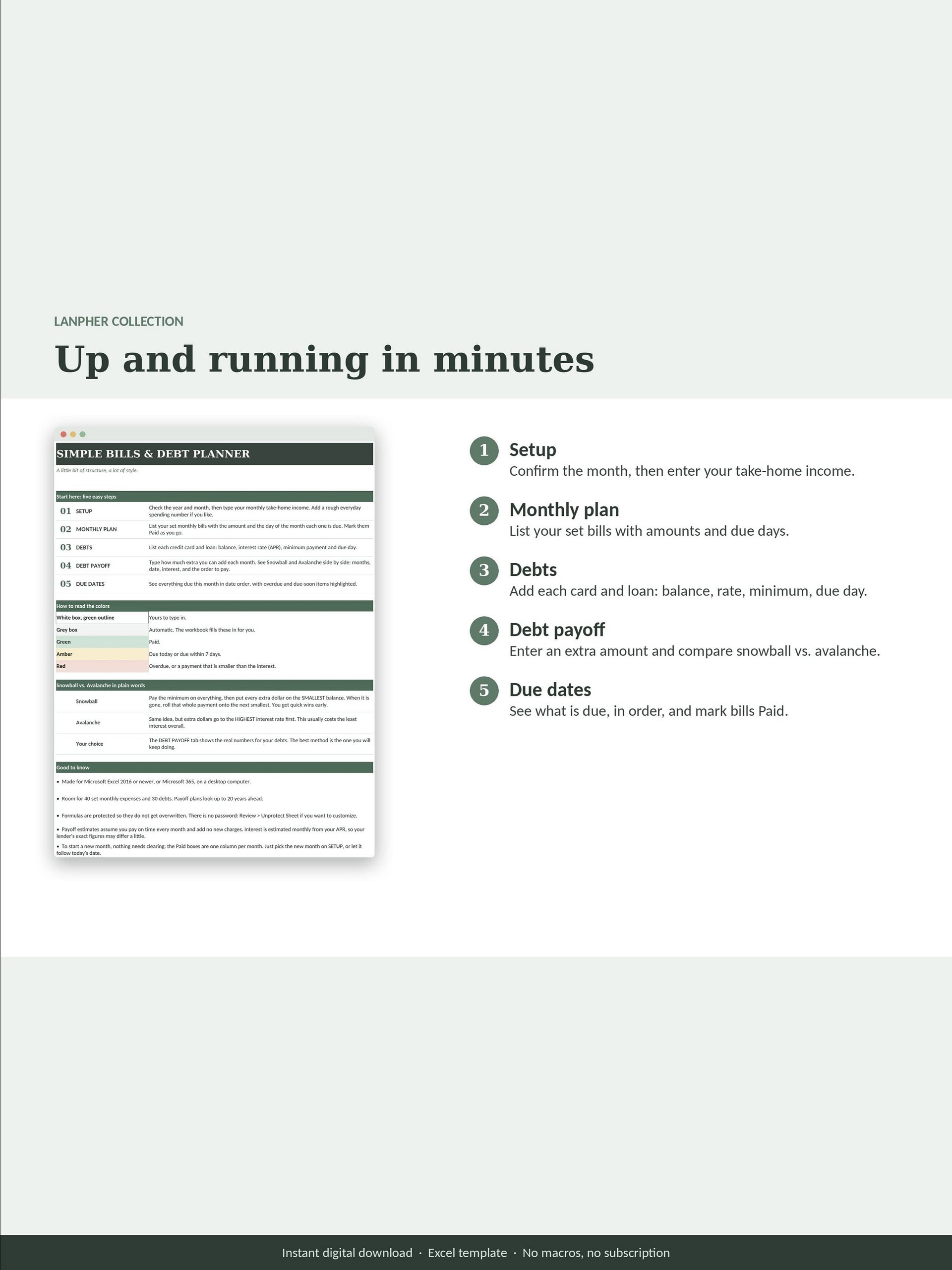
• START HERE — Five easy steps and a color key to get you going.
• SETUP — Enter your year, month, take-home income and everyday spending estimate.
• MONTHLY PLAN — Organize your set monthly expenses and due days, plus view a chart of expenses, loan and credit card payments, and money left over.
• DEBTS — Keep your credit card and loan details together in one place.
• DEBT PAYOFF — Compare snowball and avalanche payoff projections side by side.
• DUE DATES — See what’s due this month in date order, with helpful highlights.
✨ YOUR DOWNLOAD INCLUDES
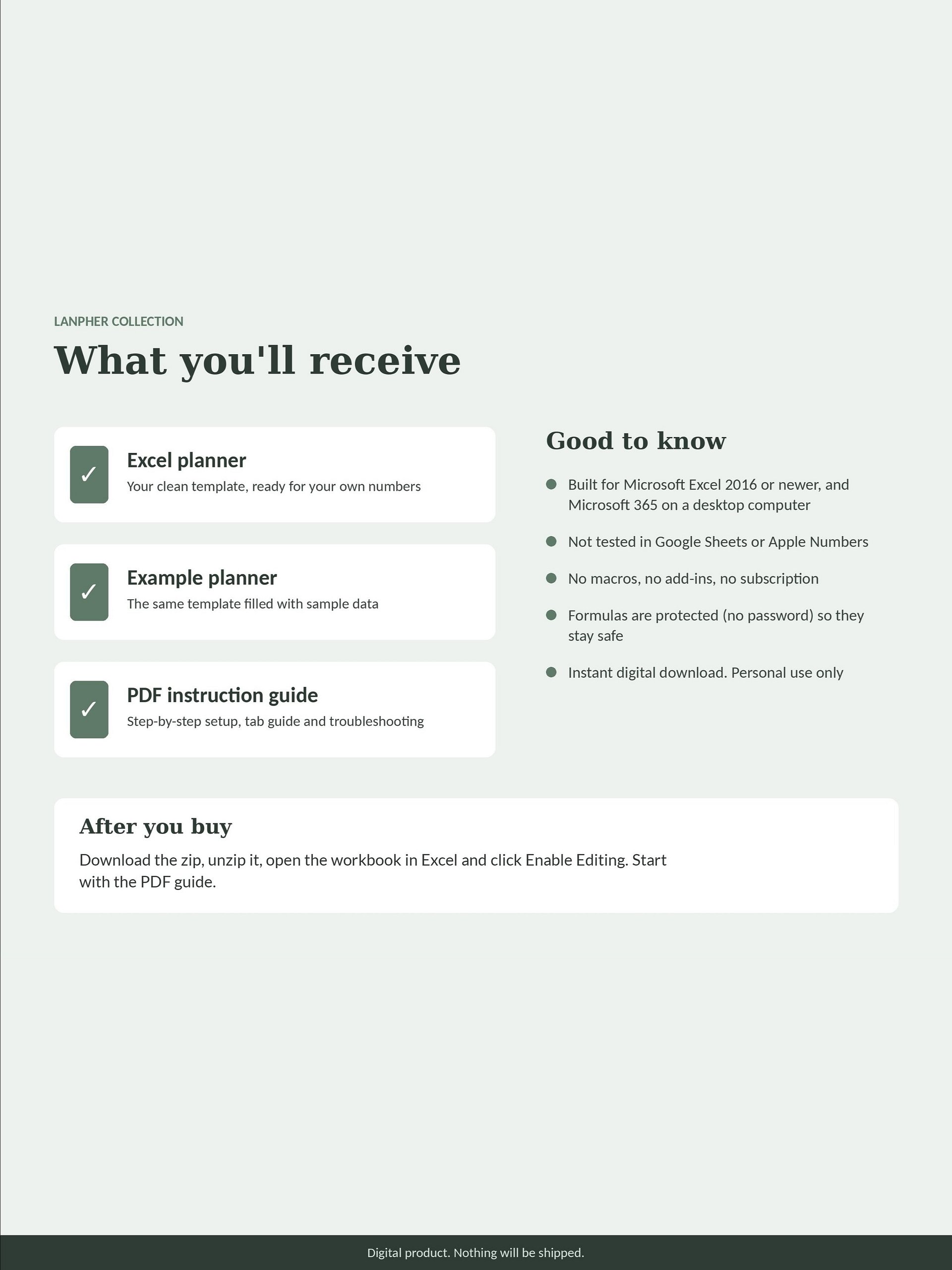
1. A blank Excel workbook (.xlsx), ready for your numbers.
2. An example workbook with sample data to show you how everything works.
3. A step-by-step PDF instruction guide.
All three files come together in one ZIP file.
This is a digital download. No physical item will be shipped.
✨ A NOTE ABOUT YOUR PAYOFF PLAN
Payoff results are estimates, not guarantees. Calculations assume on-time payments and no new charges, with interest calculated monthly using the rate you enter. Your lender’s actual calculations and payoff amounts may differ.
The planner looks up to 20 years ahead. You can leave your mortgage off the DEBTS tab if you prefer to focus your payoff comparison on other loans and credit cards.
This is a planning tool, not financial advice.
✨ GOOD TO KNOW
• Designed for Microsoft Excel 2016 or newer, or Microsoft 365, on a desktop computer.
• Not tested in Google Sheets, Apple Numbers or Excel on the web; some features may not work properly in those programs.
• No macros, add-ins or subscription required.
• Formula cells are protected against accidental edits. Sheet protection has no password, so you can unprotect tabs to customize.
• Includes space for 30 debts and 40 set monthly expenses.
• Personal use only. Please do not resell, share or redistribute the files.
✨ NEED A HAND?
Because this is a digital product, there are no refunds, returns or exchanges. If something is wrong with your file, message me —I’m happy to help! .
A little more organized. A little closer to paid off. ✨
Lanpher Collection