


Annual Budget Tracker Excel Template | Bank Import, Savings & Debt Goals | Monthly Budget Spreadsheet | Instant Download
✨ ANNUAL BUDGET & EXPENSE TRACKER — EXCEL
Wondering where your money went? Let’s give it a little structure! ✨
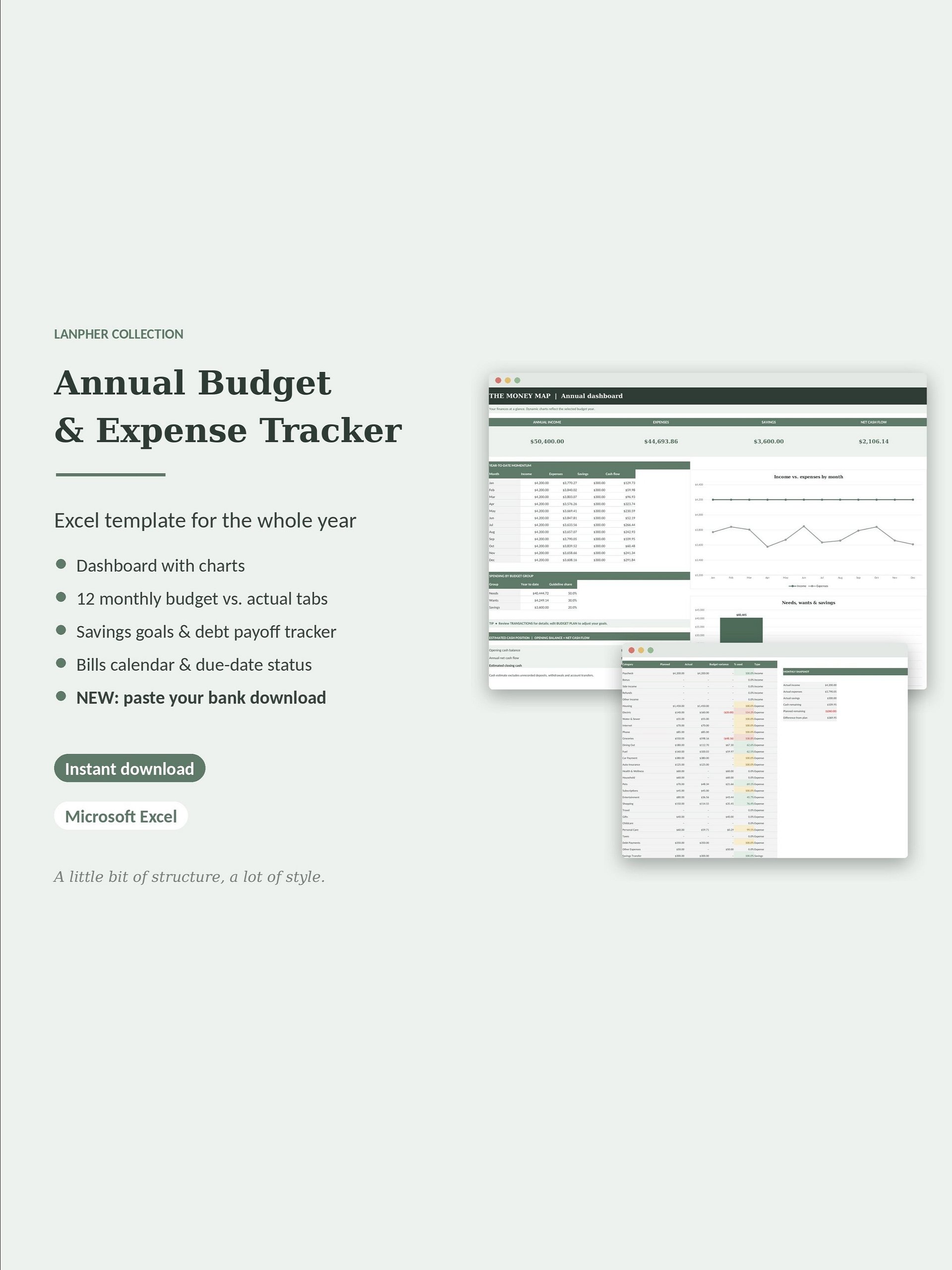
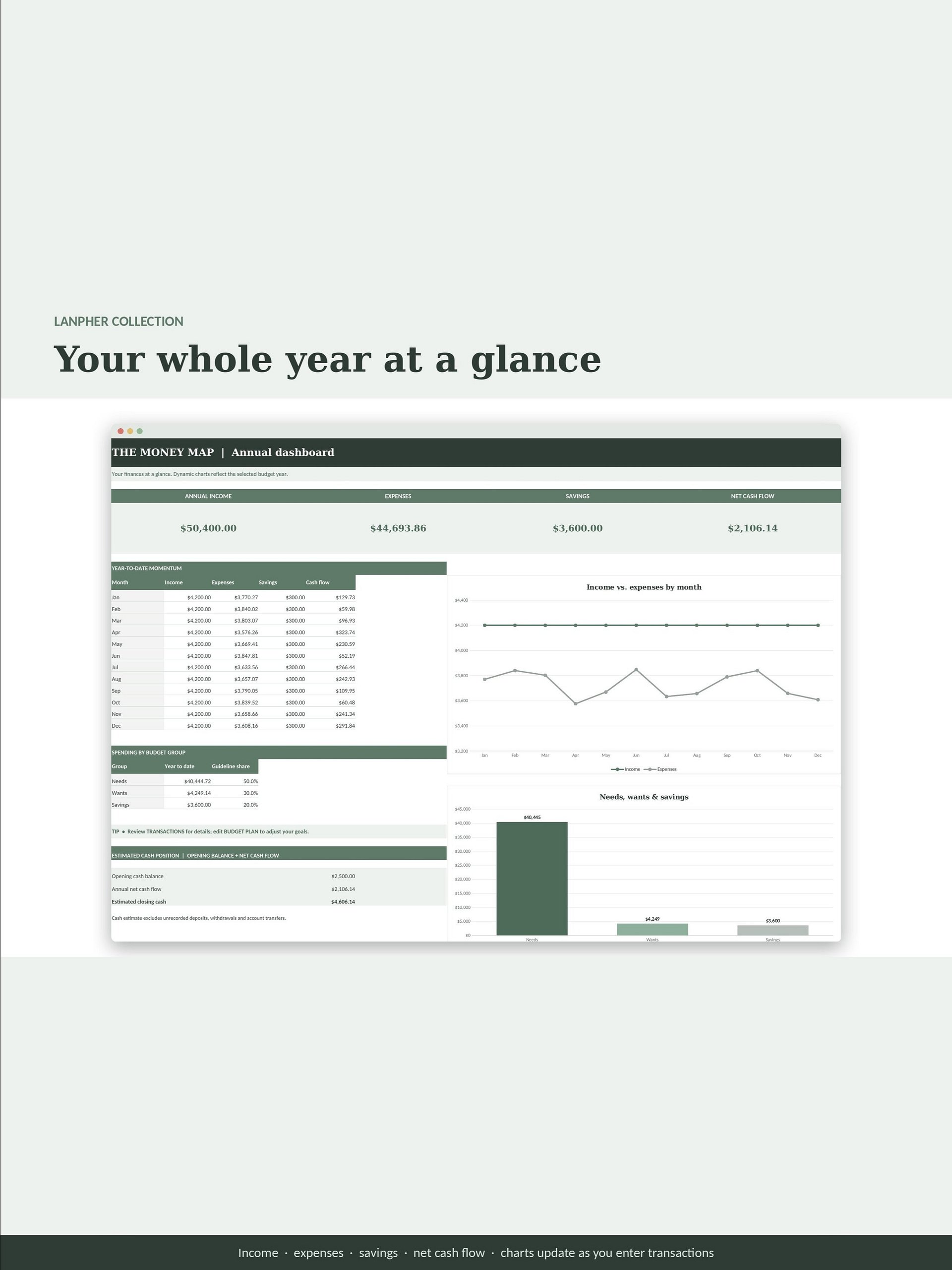
Bring a full year of budgeting, spending and goals together in one clean, sage-and-grey Excel workbook. Plan your monthly budget, track everyday expenses and see your numbers come together with helpful charts and a year-at-a-glance dashboard.
No subscription, no extra app, no macros. Just Excel and a clearer picture of your money. ✨
✨ NEW: IMPORT YOUR BANK TRANSACTIONS
Less typing? Yes, please! ✨
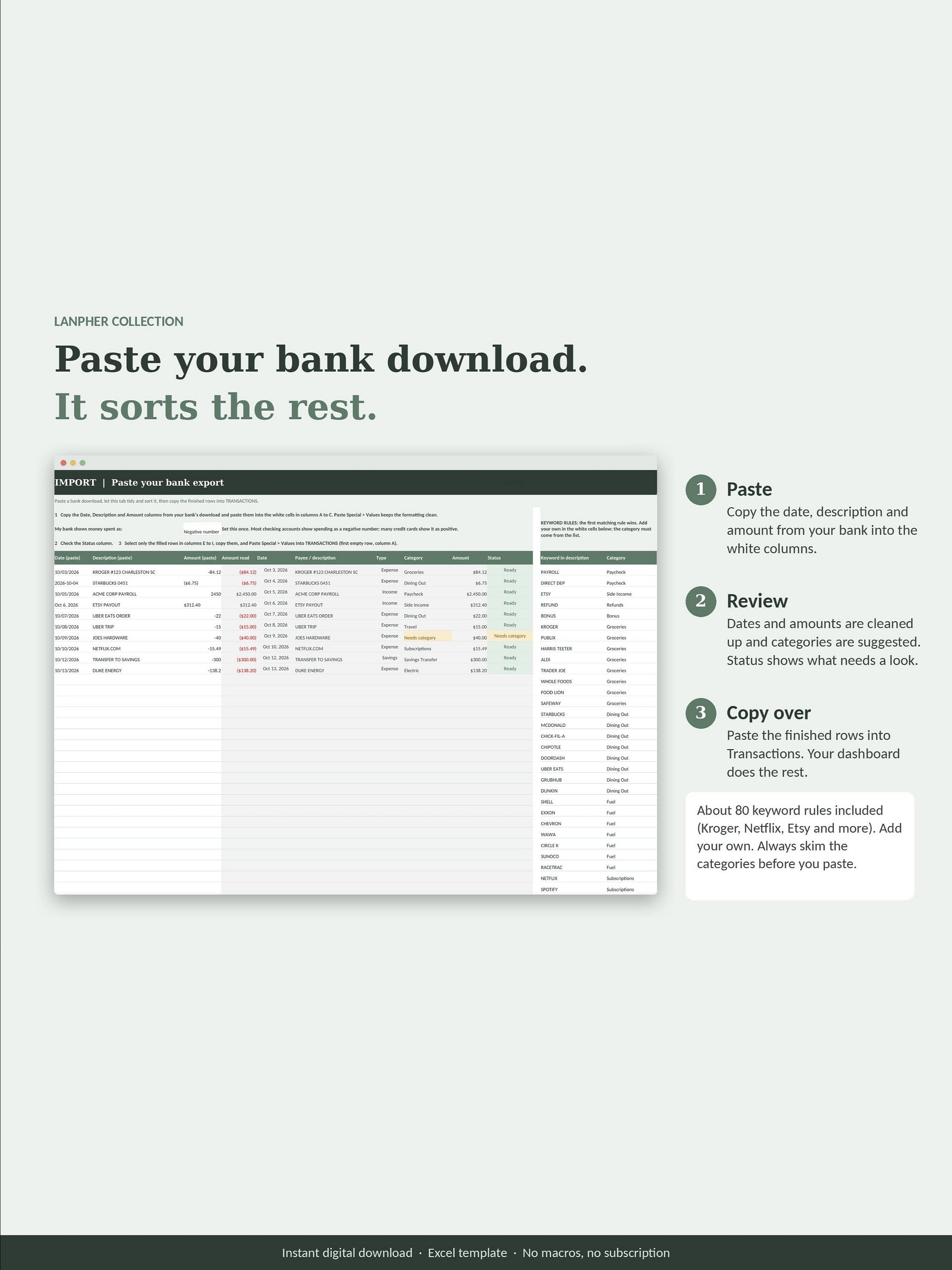
Download your transactions from your bank and paste them into the IMPORT tab. The workbook helps clean up dates, payees and amounts, then suggests categories using 84 preloaded keyword rules you can edit or expand.
A Status column flags entries that need a second look. Review the results, copy the cleaned rows into TRANSACTIONS and you’re ready to go!
Prefer entering transactions yourself? That works, too.
This is a copy-and-paste import feature; it does not connect directly to your bank.
✨ WHAT YOU CAN DO
- Plan your budget by category for every month of the year.
- Record up to 600 transactions and compare planned spending with actual spending.
- Prepare up to 300 bank transaction rows at a time in the IMPORT tab.
- Customize your category list and import keyword rules.
- See totals, charts and annual trends on your dashboard.
- Keep bills, due dates, savings goals and debt payments organized.
- Explore your spending with a 50/30/20 review.
- Add a little motivation with a no-spend challenge.
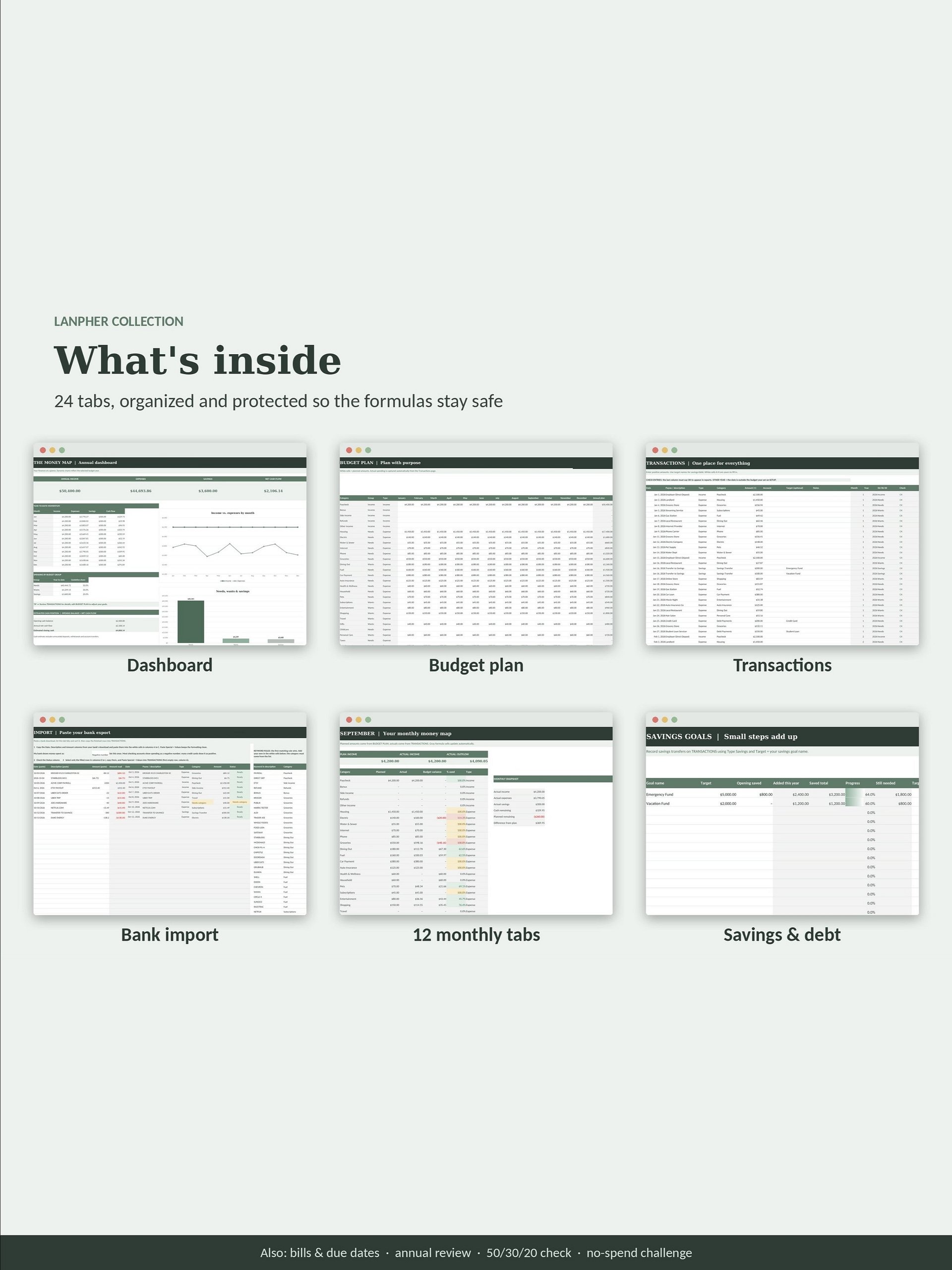
✨ TAKE A PEEK INSIDE — 24 TABS!
- START HERE — A quick-start walkthrough to help you get set up.
- DASHBOARD — Your totals, charts and year-at-a-glance view.
- SETUP — Choose your year, starting balance and categories.
- BUDGET PLAN — Plan each category, month by month.
- TRANSACTIONS — Space for 600 entries, plus a Check column to help flag mistakes.
- IMPORT — Prepare bank downloads with 300 import rows and editable keyword rules.
- ANNUAL REVIEW — Compare your full year side by side.
- JAN THROUGH DEC — Twelve monthly tabs showing planned versus actual amounts.
- BILLS & DUE DATES — Keep upcoming bills organized.
- SAVINGS GOALS — Track progress toward the things you’re saving for.
- DEBT TRACKER — Record debt payments and balances.
- 50-30-20 REVIEW — Review your budget using the 50/30/20 framework.
- NO-SPEND CHALLENGE — Give yourself an extra reason to pause before purchasing!
✨ YOUR DOWNLOAD INCLUDES
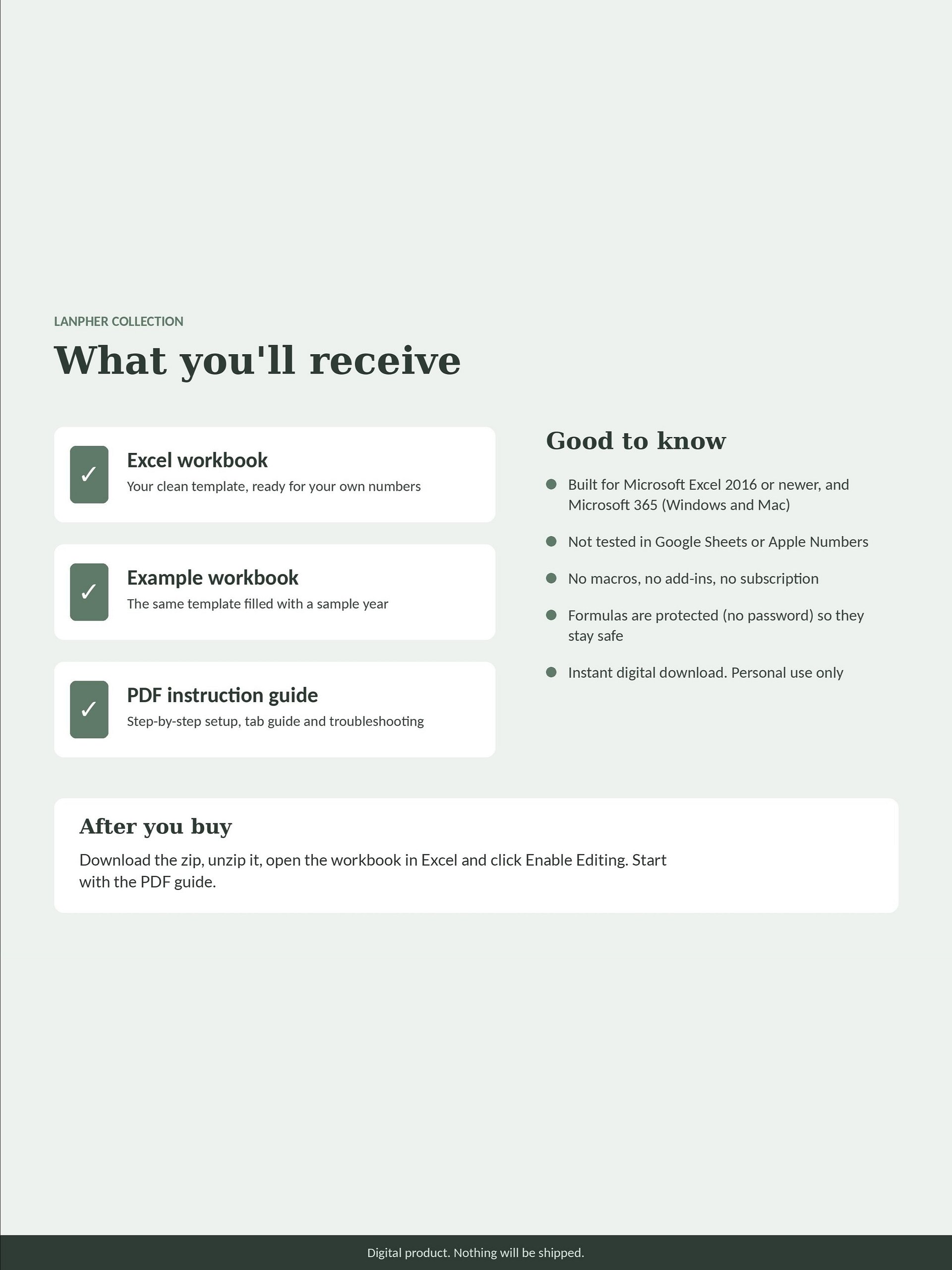
- A blank Excel workbook (.xlsx), ready for your numbers.
- An example workbook with a full year of sample data to show you how everything works.
- A 10-page, step-by-step PDF instruction guide.
All three files come together in one ZIP file.
This is a digital download. No physical item will be shipped.
✨ A NOTE ABOUT IMPORTING
The IMPORT tab works with bank downloads that use a single amount column. If your bank provides separate debit and credit columns, you’ll need to combine them first—the included guide shows you how.
Suggested categories are based on keywords, so give them a quick review before copying your transactions over.
✨ GOOD TO KNOW
- Designed for Microsoft Excel 2016 or newer, or Microsoft 365, on a desktop computer.
- Not tested in Google Sheets, Apple Numbers or Excel on the web.
- No macros, add-ins or subscription required.
- Formula cells are protected against accidental edits, with no password, so you can unprotect tabs to customize.
- The debt tracker records payments and balances; it does not calculate interest.
- Future months show as zero on the dashboard chart and fill in as you add your information.
- Personal use only. Please do not resell, share or redistribute the files.
- This is a budgeting tool, not financial advice.
✨ NEED A HAND?
Because this is a digital product, there are no refunds, returns or exchanges. If something is wrong with your file, message me —I’m happy to help!
A little more organized. A little less “where did it all go?” ✨
Lanpher Collection